Contact and force sensors#
Contact, ContactForce, and JointTorque read how a rigid link or joint interacts with the rest of the scene straight from the rigid solver. They are solver-based: physically consistent with the simulation, but they only report where the solver actually resolves a contact. Reach for them when you want ground-truth, link-level interaction rather than a spatially resolved tactile field. For a dense field of per-taxel readings across a surface, use the tactile sensors instead.
For how sensors are sampled, read back, batched with scene.read_sensors(), and configured with noise, delay, and history_length, see the sensors overview.
Choosing a sensor#
Sensor |
|
Shape |
Frame / units |
|---|---|---|---|
|
in-contact flag |
|
bool |
|
net contact force on the link |
|
link-local, N |
|
actuator effort per dof |
|
N·m (revolute) / N (prismatic) |
The [n_envs,] axis is present only when the scene is built with multiple environments. When a sensor is created with history_length > 0, an extra axis is inserted after the batch axis (see the overview).
Contact and contact force#
Contact and ContactForce both read the rigid solver’s contact impulses for one link. Contact reports whether the link is touching anything; ContactForce reports the net force vector acting on it, rotated into the link’s own frame.
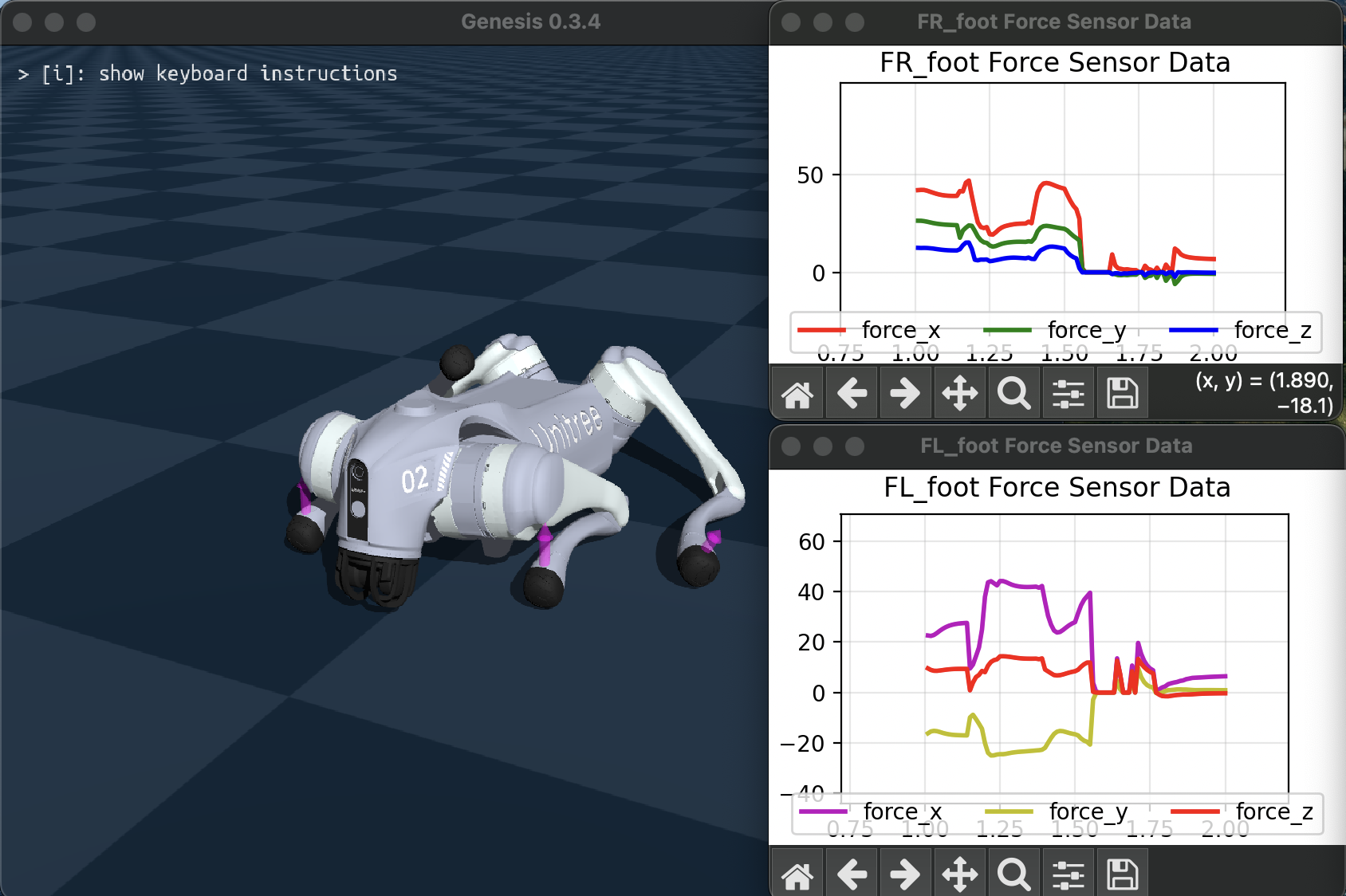
The full script is examples/sensors/contact_force_go2.py, which mounts a sensor on each foot of a Go2 quadruped (pass --no-force to swap ContactForce for Contact):
foot_link_names = ("FR_foot", "FL_foot", "RR_foot", "RL_foot")
go2 = scene.add_entity(
    gs.morphs.URDF(
        file="urdf/go2/urdf/go2.urdf",
        pos=(0.0, 0.0, 0.2),
        links_to_keep=foot_link_names,
    )
)

for link_name in foot_link_names:
    sensor = scene.add_sensor(
        gs.sensors.ContactForce(
            entity_idx=go2.idx,
            link_idx_local=go2.get_link(link_name).idx_local,
            draw_debug=True,
        )
    )
A sensor is bound to one link by entity_idx and the entity-local link_idx_local. After building and stepping, read it:
force = sensor.read() # shape ([n_envs,] 3), N, in the link-local frame
Configuration:
Contactacceptsthreshold(a positive force magnitude registers as contact above this value; default0.0) andfilter_link_idx, a list of global link indices whose contacts with the sensor link are ignored.ContactForceclamps each axis to[min_force, max_force]; readings belowmin_forceare zeroed and readings abovemax_forceare saturated. Both default to no clamping.
Joint torque#
JointTorque measures the generalized effort delivered at each actuator’s output shaft: torque for revolute dofs, force for prismatic dofs. It is a proprioceptive way to sense interaction: an external contact shows up as a change in the effort the joints must supply, without any dedicated contact sensor on the touching link.
The reading models the effort at the gearbox interface:
actuator_force = tau_control - armature * qacc + tau_frictionloss + tau_damping
Because qacc is the constraint-solved acceleration, gravity, Coriolis, and contact loads are all captured implicitly. In free space the reading is roughly the gravity-plus-Coriolis load; when the arm presses into an obstacle it also carries the contact reaction.
The full script is examples/sensors/joint_torque_franka.py, which holds a Franka arm against a fixed wall box and plots control torque against sensed torque:
joint_torque = scene.add_sensor(
    gs.sensors.JointTorque(
        entity_idx=franka.idx,
        dofs_idx_local=(0, 1, 2, 3, 4, 5, 6),  # None (default) selects all dofs
    )
)

# ... build, then each step ...
tau = joint_torque.read()  # shape ([n_envs,] n_dofs)
See also#
Tactile: dense per-taxel contact fields (probes and taxels) for tactile skins.
Sensors overview: sampling rate,
read_ground_truth(), batchedscene.read_sensors(), noise, delay, andhistory_length.Extending Genesis World → Sensors: the sensor pipeline and how to add your own sensor type.