

🌌 Nyx Renderer#
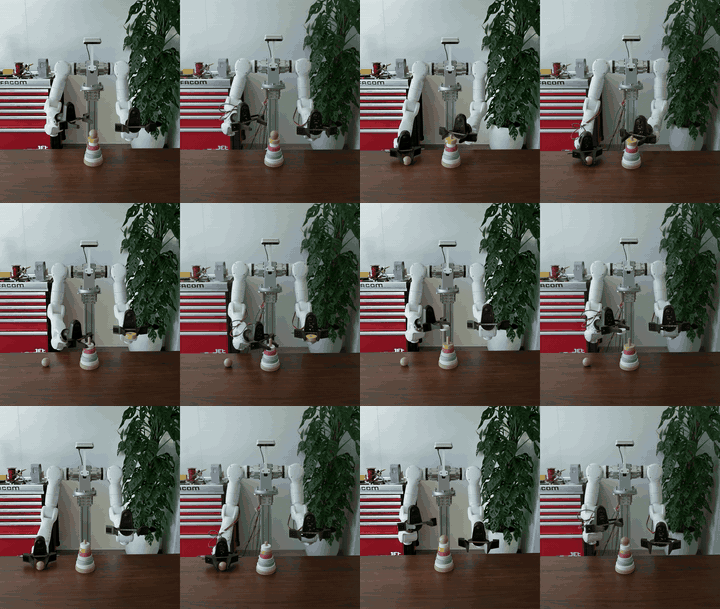
Nyx is a GPU-accelerated path tracer built in-house for Genesis. It plugs into a scene as a camera sensor and produces photo-realistic frames suitable for robotics datasets, demos, and synthetic perception.
Highlights:
Physically-based path tracing with PBR materials forwarded as-is from GLTF/GLB assets
HDRI environment maps and analytic light sources
3D Gaussian splat (“light field”) assets rendered alongside simulated geometry
Attached / multi-camera setups and multi-environment rendering
Per-pixel object picking
Exposed through the standard Genesis sensor interface (
scene.add_sensor(...))
For installation and the minimal “hello Nyx” walkthrough, see Photo-realistic Rendering with Nyx in the Visualization guide. For the full feature reference, options, and advanced recipes, see the Nyx documentation: https://genesis-embodied-ai.github.io/genesis-nyx/.
Example: rendering a Gaussian splat#
Beyond standard meshes, Nyx can render captured 3D Gaussian splats in the same path-traced frame as simulated geometry. The splat is declared as a LightFieldAsset on the Nyx camera — every Nyx sensor’s light_fields are collected at scene.build() and rendered each step.
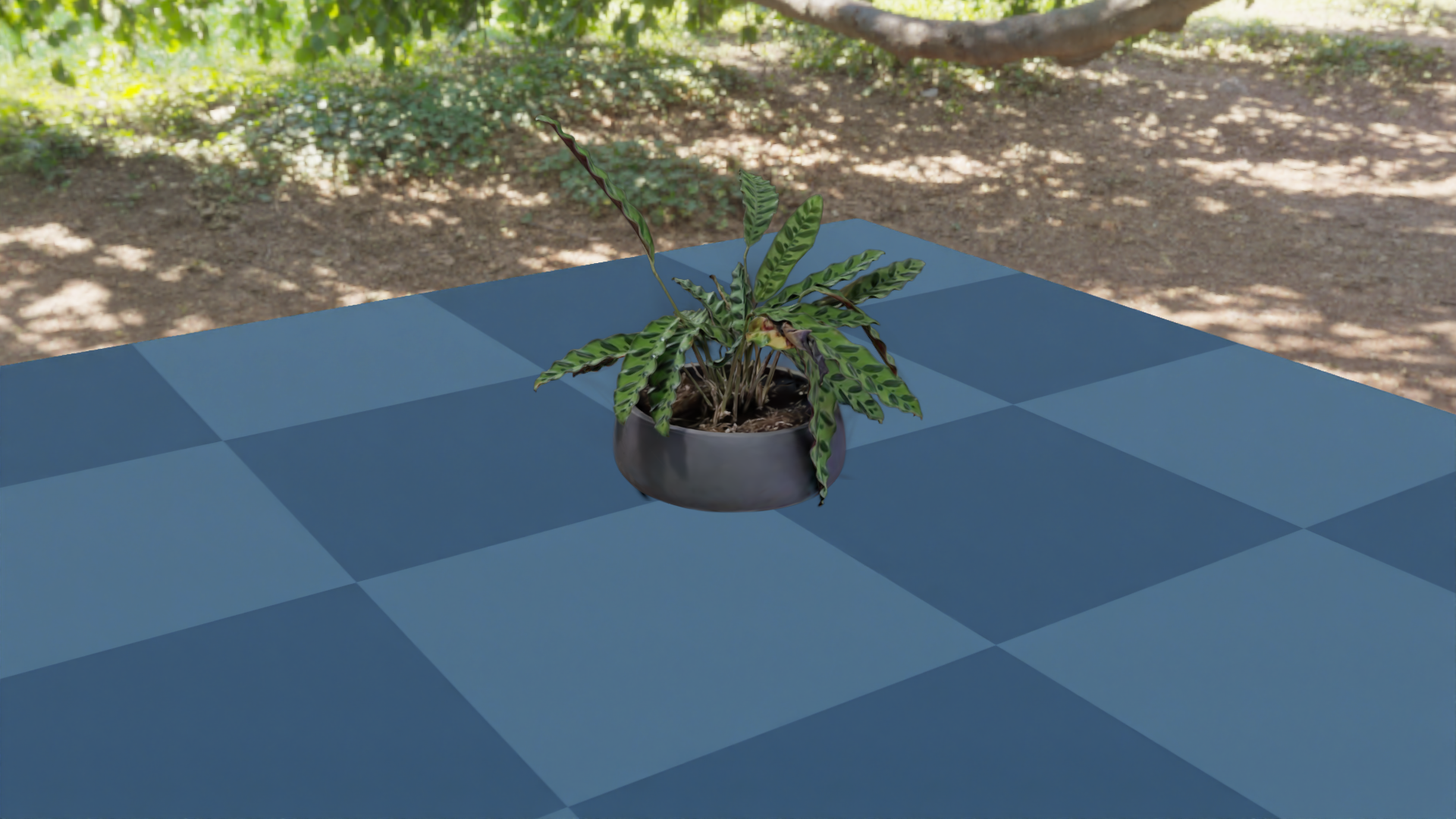
The snippet below is examples/05_gaussian_splat.py from the Nyx repo. It renders a captured plant.ply splat on a Plane under the green_sanctuary HDRI.
import os
from PIL import Image

import genesis as gs
import gs_nyx.nyx_py_renderer as npr
import gs_nyx.nyx_py_sdk as nps
from gs_nyx_plugin.nyx_camera_options import NyxCameraOptions


HERE        = os.path.dirname(__file__)
PLANT_PLY   = os.path.join(HERE, "assets", "plant.ply")
ENV_MAP     = os.path.join(HERE, "assets", "green_sanctuary_4k.hdr")
OUTPUT_PATH = os.path.join(HERE, "out", "05_gaussian_splat.png")


def main():
    gs.init()
    os.makedirs(os.path.dirname(OUTPUT_PATH), exist_ok=True)

    scene = gs.Scene(
        sim_options=gs.options.SimOptions(dt=0.01),
        show_viewer=False,
    )

    scene.add_entity(morph=gs.morphs.Plane(plane_size=(2.0, 2.0)))

    # The splat is declared on the camera as a LightFieldAsset, not as a
    # Genesis entity. Every Nyx sensor's light_fields are gathered at
    # scene.build() and rendered alongside simulated geometry.
    plant          = nps.LightFieldAsset()
    plant.type     = nps.ELightFieldType.GaussianField
    plant.uri      = PLANT_PLY
    # 90° rotation about Z stands the capture upright in Genesis' Z-up world.
    plant.rotation = nps.quaternion(0.0, 0.0, -0.70710678, 0.70710678)

    # HDRI env map lighting the simulated plane. The splat already bakes in
    # view-dependent colour, so only the geometry needs an external light.
    env_map            = nps.EnvironmentMapAsset()
    env_map.texture    = ENV_MAP
    env_map.layout     = nps.EEnvMapLayout.LongLat
    env_map.multiplier = 2.0

    cam = scene.add_sensor(NyxCameraOptions(
        res          = (1920, 1080),
        pos          = (1.0, 1.5, 0.8),
        lookat       = (0.0, 0.0, 0.1),
        fov          = 30.0,
        spp          = 64,
        render_mode  = npr.ERenderMode.FastPathTracer,
        env_maps     = [env_map],
        light_fields = [plant],
    ))

    scene.build(n_envs=1)
    scene.step()  # rendering happens during the sim step

    rgb = cam.read().rgb[0].cpu().numpy()
    Image.fromarray(rgb).save(OUTPUT_PATH)
    print(f"Saved {OUTPUT_PATH}")


if __name__ == "__main__":
    main()
Things to notice:
Splats are camera-side, not entities.
LightFieldAssets are attached toNyxCameraOptions.light_fieldsand rendered each frame alongside simulated geometry.Splats are pre-lit. Their view-dependent colour is baked in, so the HDRI env map only needs to light the simulated
Plane.scene.step()triggers the render. Pull frames withcam.read().rgb— a torch tensor with one image per environment.
Where to go next#
More examples ship in the Nyx examples folder, covering attached cameras, materials, light types, object picking, and multi-camera / multi-environment rendering. For the full option reference and advanced features, head to the Nyx documentation site.