Conventions#
This page defines the conventions we follow throughout the API: the coordinate system, rotations, physical units, tensor shapes, and data types, plus the rules that decide how an imported asset is oriented.
Coordinate system#
We use a right-handed, Z-up coordinate system. Relative to the default viewer, whose camera sits on the +X side looking back toward the origin:
+X: points out of the screen, toward the viewer.
+Y: points to the viewer’s right.
+Z: points up.
Quaternion representation#
Quaternions follow the (w, x, y, z) convention:
w: scalar (real) component.
x, y, z: vector (imaginary) components.
We follow the scalar-first Hamilton convention, so provide a quaternion in this order wherever the API takes one.
# 90-degree rotation about the +Z axis
quat = (0.707, 0.0, 0.0, 0.707)  # (w, x, y, z)
Euler angles, where they are accepted instead, are extrinsic x-y-z in degrees (SciPy’s convention).
Gravity#
Gravity defaults to (0, 0, -9.81), i.e. -Z with a magnitude of 9.81 m/s². With no other forces applied, objects fall along -Z. Set it for the whole scene through gs.options.SimOptions(gravity=...), or for one solver through the gravity field of its own options, and change it at runtime through that solver, for example scene.rigid_solver.set_gravity(gravity, envs_idx).
Axis conversion at import time#
Asset formats disagree about which axis points up, and some do not record it at all. The sections below give the rule we apply to each format on its way into our Z-up space.
Choosing one Y-up mapping#
A Y-up-to-Z-up conversion is a 3×3 rotation, and several rotations are valid depending on which axis the asset treats as forward. Two meshes can both be labeled Y-up and still import at different orientations, so the forward axis is what decides the rotation.
We therefore commit to one mapping, (X, Y, Z) → (X, -Z, Y), which is Y-up, -Z forward. That is Blender’s default configuration when it exports to a Y-up format, and we match it because Blender is a common authoring tool for robotics and simulation assets and its exporters apply well-defined conversions per target format.
An asset exported from Blender at default settings therefore arrives at the orientation you saw in Blender, whether it came as glTF, STL, OBJ, or a mesh referenced from URDF. Wherever these docs say “Y-up”, they mean this mapping.
glTF (.gltf, .glb)#
glTF assets are always Y-up by specification, so we always convert them, with no switch to turn that off: a glTF file that follows the spec then behaves the same everywhere.
Blender writes a Z-up glTF if you uncheck +Y-up, though it cannot read that file back correctly afterward. Since our conversion assumes the spec, a Z-up glTF imports rotated. Re-export with the default +Y-up option rather than overriding the axis on import.
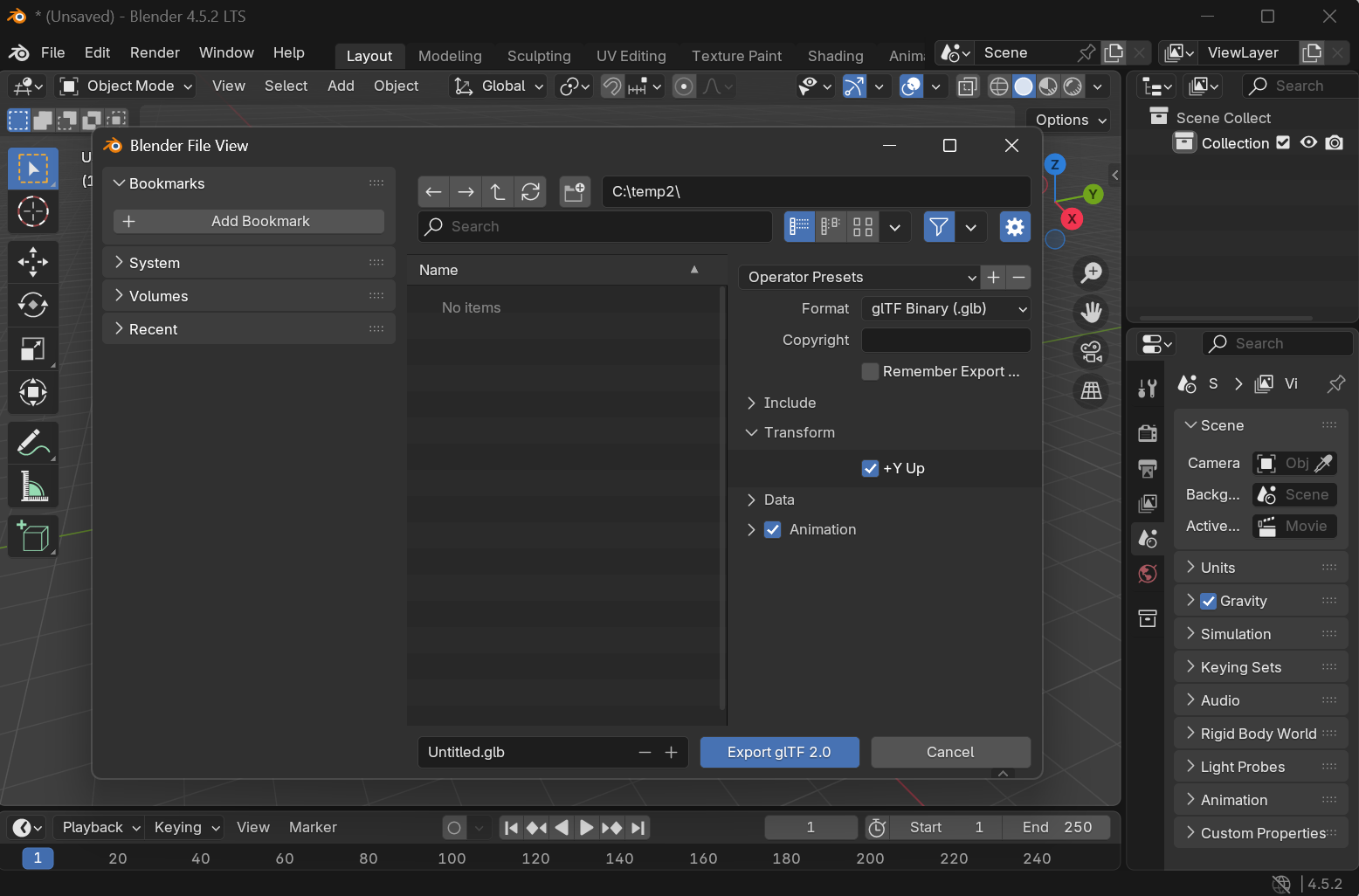
See Blender’s glTF exporter documentation for the transform settings.
STL (.stl) and Wavefront OBJ (.obj)#
Neither format records a coordinate system, and files of both kinds arrive Y-up or Z-up depending on the tool that wrote them, so you declare which one you have:
Z-up (default): the mesh is assumed to be in Z-up space already, and nothing is converted.
Y-up: we apply the
(X, Y, Z) → (X, -Z, Y)mapping above.
Declaring it at import means assets from different sources coexist in one scene without you editing the files.
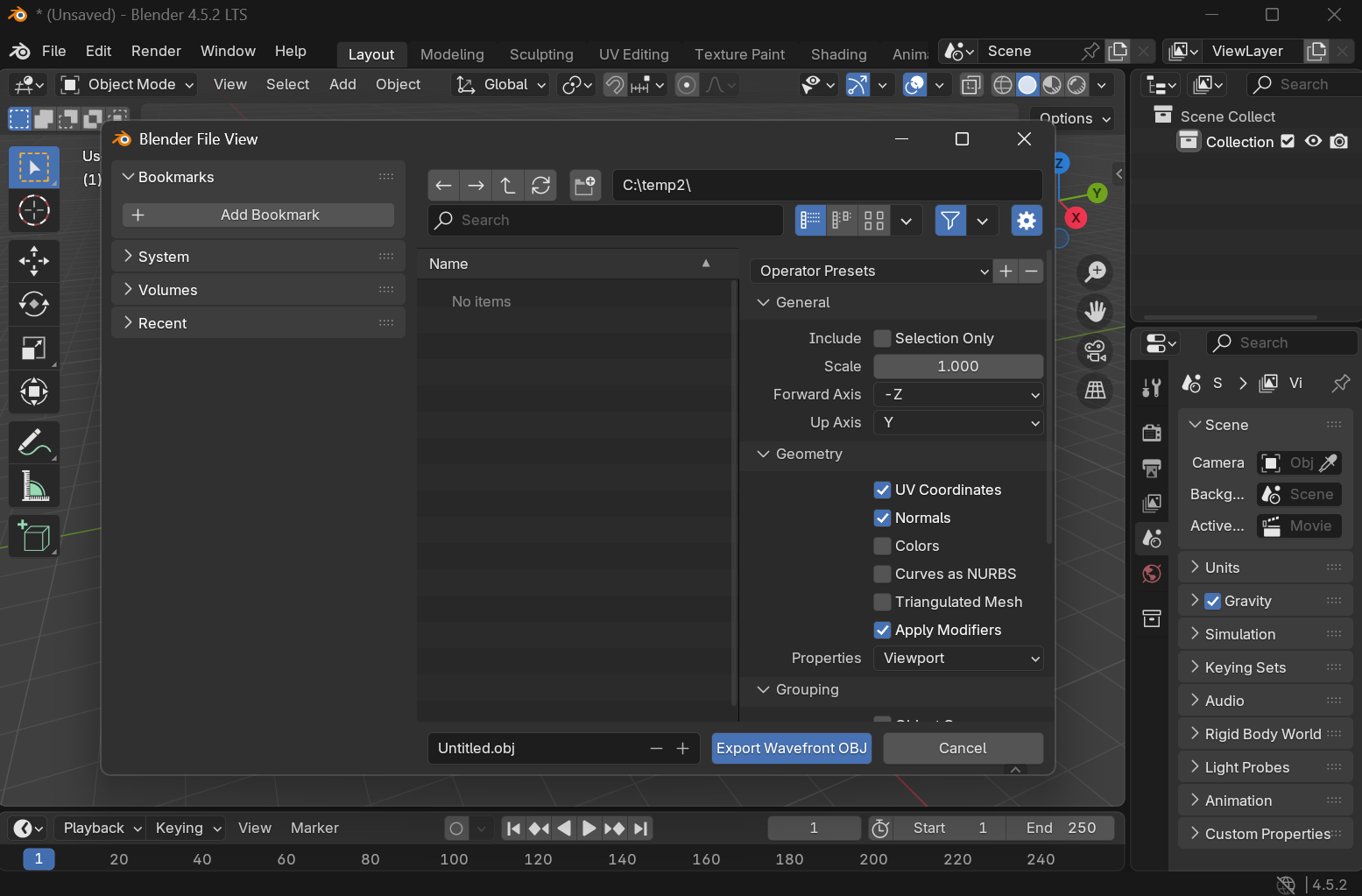
See Blender’s Wavefront OBJ exporter and Blender’s STL exporter documentation.
Declaring the up-axis on import#
Pass file_meshes_are_zup to a mesh morph to tell Genesis World how the referenced meshes are oriented. It defaults to True (already Z-up); set it to False for a Y-up asset that needs conversion:
obj = scene.add_entity(
    gs.morphs.Mesh(
        file="my_obj_file.obj",
        file_meshes_are_zup=False,  # mesh is Y-up; convert to Z-up on import
    ),
)
After import, the imported_as_zup metadata flag on each mesh records whether a conversion ran:
obj.vgeoms[0].mesh.metadata["imported_as_zup"] # False if a Y-up -> Z-up conversion ran
Units#
Genesis World is unitless in the sense that it does no conversion for you, but every built-in default is expressed in SI units, and the API assumes you follow suit:
Length in meters, mass in kilograms, time in seconds.
Angles in radians, with one deliberate exception: Euler angles passed to morphs are in degrees (see the rotation section above).
Derived quantities follow from these: density in kg/m³, force in newtons, gravitational acceleration in m/s².
The simulation timestep is a duration in seconds, defaulting to dt = 1e-2 (10 ms):
gs.options.SimOptions(dt=0.01) # seconds
A few APIs carry their own natural units where SI would be awkward. For example, a drone’s propellers take angular speed in RPM, and the temperature-grid sensor reports degrees Celsius. These are called out on the pages and in the docstrings where they appear. When in doubt, assume SI.
Tensor shapes and batching#
Genesis World simulates many environments in parallel (see Parallel simulation), so most quantities carry an optional leading batch dimension. The docs and docstrings describe shapes with a bracket notation:
distances  # shape ([n_envs,] n_probes)
points     # shape ([n_envs,] n_probes, 3)
The [n_envs,] bracket means: present when the scene is built with multiple environments, absent otherwise. A scene built with scene.build(n_envs=4096) returns tensors with a leading 4096 dimension; a scene built without n_envs drops that dimension entirely rather than using a size-1 axis.
Methods that read or write per-environment state take an envs_idx argument to address a subset of environments. Passing envs_idx=None (the default) applies to all of them; passing a tensor of indices selects only those rows along the batch dimension.
Index arguments#
envs_idx and the per-entity index arguments (links_idx_local, dofs_idx_local, qs_idx_local, and the like) accept the same forms: an integer, a range, a slice, a list or tuple, a NumPy array, or a PyTorch tensor, with None selecting everything. Negative indices count from the end as they do in Python and NumPy, so envs_idx=-1 is the last environment. A boolean array acts as a mask, and must span the full length of the dimension it selects from.
Data types and precision#
Tensors returned by the API are PyTorch tensors placed on the active device (gs.device). Their dtype follows the precision chosen at initialization:
Floating-point values are
float32by default, orfloat64when you initialize withprecision="64".Integer indices (entity, link, and dof indices,
envs_idx, and the like) are alwaysint32, independent of the float precision.
gs.init() leaves PyTorch’s global default dtype and device untouched, so pass dtype=gs.tc_float (or gs.tc_int) and device=gs.device to tensors you allocate yourself to line them up with what the API returns. See Initialization and backends for how to choose the backend and precision.