

🫳 Contact & Tactile#
Contact and tactile sensors all measure interactions between rigid links and other entities in the scene, with progressively richer output formats - from a single boolean to a full elastomer displacement field.
Contact and ContactForce#
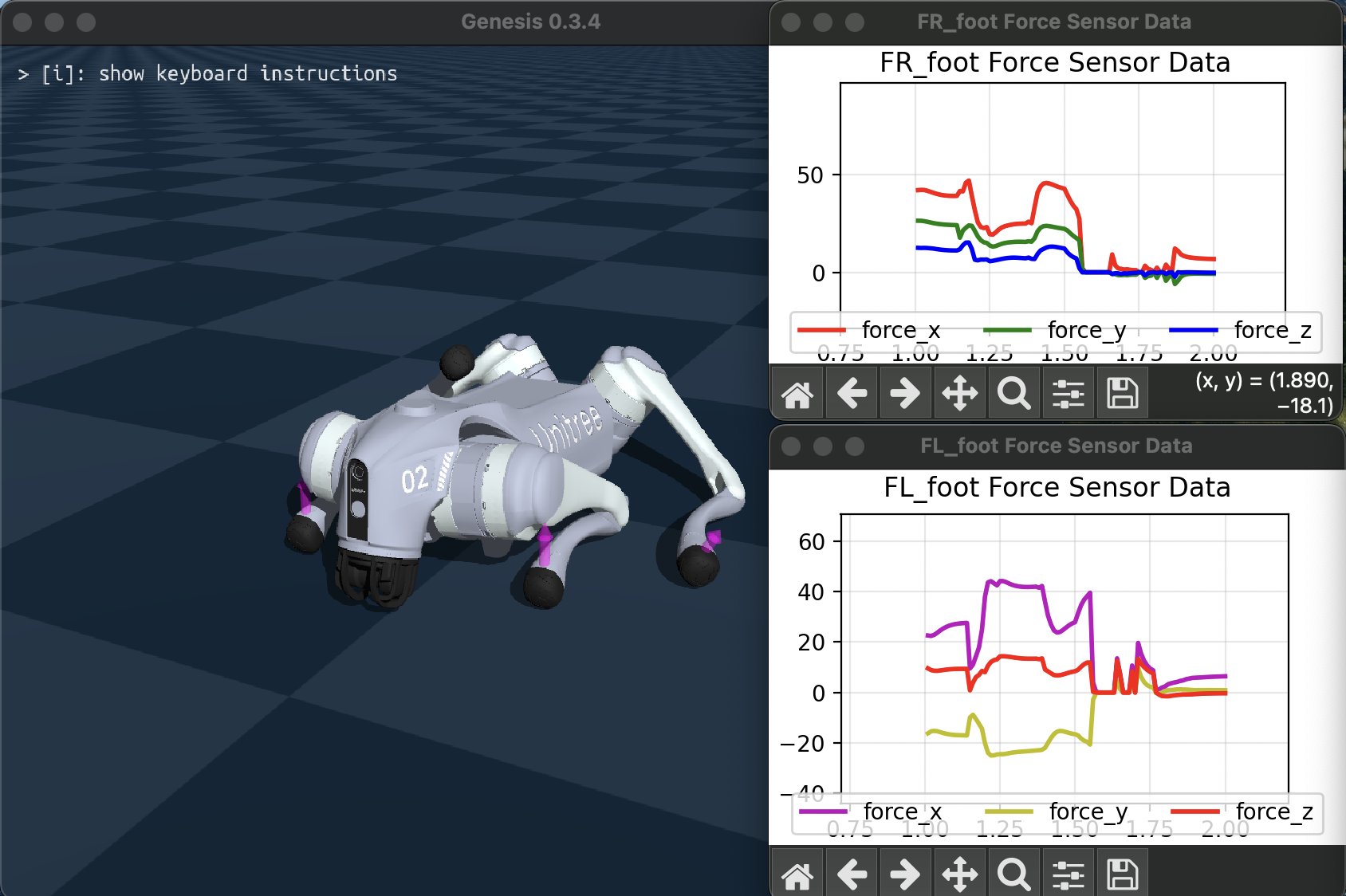
The Contact and ContactForce sensors retrieve contact information per rigid link from the rigid solver. Contact returns a boolean and ContactForce returns the net force vector in the local frame of the associated rigid link.
The full example script is at examples/sensors/contact_force_go2.py (add flag --force to use the force sensor).
KinematicContactProbe#
KinematicContactProbe is a tactile sensor that samples contact depth at user-defined probe positions attached to a rigid link. Instead of returning solver contact forces, it computes a simple penetration-based force estimate per probe: a 3D vector whose magnitude is stiffness * penetration and whose direction is given by the probe normal:
force = stiffness * penetration * normal
probe = scene.add_sensor(
    gs.sensors.KinematicContactProbe(
        entity_idx=platform.idx,
        link_idx_local=0,
        probe_local_pos=probe_positions,
        probe_local_normal=probe_normals,
        probe_radius=probe_radii,
        stiffness=5000.0,
        draw_debug=True,
    )
)

scene.build()

data = probe.read()
print(data.penetration)  # shape ([n_envs,] n_probes)
print(data.force)        # shape ([n_envs,] n_probes, 3)
The full interactive example is at examples/sensors/kinematic_contact_probe.py.
Because the probes are defined in the link-local frame, a regular grid can be used to imitate taxels on a tactile surface.
ElastomerDisplacement#
ElastomerDisplacement models a soft tactile skin without the computational expense of actually simulating deformation. Each probe reports a 3D displacement vector caused by local indentation, shear, and twist.
You can tune the response of the sensor with coefficients that determine the spatial effect (computed as exp(-coeff * dist^2) - larger values make effects more local, smaller values spread them farther):
dilate_coefficient- spread of normal indentation.shear_coefficient- spread of tangential slip.twist_coefficient- spread of torsional displacement.
tactile = scene.add_sensor(
    gs.sensors.ElastomerDisplacement(
        entity_idx=pusher.idx,
        link_idx_local=0,
        probe_local_pos=gu.generate_grid_points_on_plane(
            lo=[-0.05, -0.05, -0.025],
            hi=[0.05, 0.05, -0.025],
            normal=(0.0, 0.0, -1.0),
            nx=6,
            ny=8,
        ),
        probe_local_normal=(0.0, 0.0, -1.0),
        probe_radius=0.01,
        dilate_coefficient=1e1,
        shear_coefficient=1e-2,
        twist_coefficient=1e-2,
        draw_debug=True,
    )
)

scene.build()

displacement = tactile.read()
print(displacement)  # shape ([n_envs,] n_probes, 3)
When probe_local_pos is provided as a 2D grid, Genesis uses an FFT-based algorithm to accelerate the computation for larger tactile arrays.
Example script examples/sensors/tactile_elastomer_sandbox.py demos a spherical or box-shaped pusher interacting with other objects.
Another example script examples/sensors/tactile_elastomer_franka.py sensorizes a robot arm’s gripper fingers with taxels arranged in a grid.